Map layer that draws polygons. Supported map variables are: fill (the fill color),
col (the border color), lwd (line width), lty (line type),
fill_alpha (fill color alpha transparency), col_alpha (border color alpha transparency)
pattern (fill pattern drawn on top of the fill color), pattern_col (pattern color),
pattern_size (line width or dot size of the pattern) and pattern_density (density of the pattern).
Usage
tm_polygons(
  fill = tm_const(),
  fill.scale = tm_scale(),
  fill.legend = tm_legend(),
  fill.chart = tm_chart_none(),
  fill.free = NA,
  col = tm_const(),
  col.scale = tm_scale(),
  col.legend = tm_legend(),
  col.chart = tm_chart_none(),
  col.free = NA,
  lwd = tm_const(),
  lwd.scale = tm_scale(),
  lwd.legend = tm_legend(),
  lwd.chart = tm_chart_none(),
  lwd.free = NA,
  lty = tm_const(),
  lty.scale = tm_scale(),
  lty.legend = tm_legend(),
  lty.chart = tm_chart_none(),
  lty.free = NA,
  fill_alpha = tm_const(),
  fill_alpha.scale = tm_scale(),
  fill_alpha.legend = tm_legend(),
  fill_alpha.chart = tm_chart_none(),
  fill_alpha.free = NA,
  col_alpha = tm_const(),
  col_alpha.scale = tm_scale(),
  col_alpha.legend = tm_legend(),
  col_alpha.chart = tm_chart_none(),
  col_alpha.free = NA,
  pattern = tm_const(),
  pattern.scale = tm_scale(),
  pattern.legend = tm_legend(),
  pattern.chart = tm_chart_none(),
  pattern.free = NA,
  pattern_col = tm_const(),
  pattern_col.scale = tm_scale(),
  pattern_col.legend = tm_legend(),
  pattern_col.chart = tm_chart_none(),
  pattern_col.free = NA,
  pattern_size = tm_const(),
  pattern_size.scale = tm_scale(),
  pattern_size.legend = tm_legend(),
  pattern_size.chart = tm_chart_none(),
  pattern_size.free = NA,
  pattern_density = tm_const(),
  pattern_density.scale = tm_scale(),
  pattern_density.legend = tm_legend(),
  pattern_density.chart = tm_chart_none(),
  pattern_density.free = NA,
  linejoin = "round",
  lineend = "round",
  plot.order = tm_plot_order("lwd", reverse = TRUE, na.order = "bottom"),
  zindex = NA,
  group = NA,
  group.control = "check",
  popup = tm_popup(),
  popup.vars = NA,
  popup.format = tm_label_format(),
  hover = NA,
  id = "",
  blend = "over",
  options = opt_tm_polygons(),
  ...
)

tm_fill(...)

tm_borders(col = tm_const(), ...)

opt_tm_polygons(polygons.only = "ifany")
Arguments
- fill, fill.scale, fill.legend, fill.chart, fill.free
Map variable that determines the fill color. See details. Unit: Color – a color name, hex string.
- col, col.scale, col.legend, col.chart, col.free
Map variable that determines the color. See details. Unit: Color – a color name, hex string.
- lwd, lwd.scale, lwd.legend, lwd.chart, lwd.free
Map variable that determines the line width. See details. Unit: Base R line-width units; 1 lwd is approx. 0.75 pt at 96 dpi.
- lty, lty.scale, lty.legend, lty.chart, lty.free
Map variable that determines the line type. See details. Unit: Integer (1-6) or name: "solid", "dashed", "dotted", "dotdash", "longdash", "twodash".
- fill_alpha, fill_alpha.scale, fill_alpha.chart, fill_alpha.legend, fill_alpha.free
Map variable that determines the fill color transparency. See details. Unit: Proportion – numeric 0-1 (0 = fully transparent, 1 = fully opaque).
- col_alpha, col_alpha.scale, col_alpha.legend, col_alpha.chart, col_alpha.free
Map variable that determines the color transparency. See details. Unit: Proportion – numeric 0-1 (0 = fully transparent, 1 = fully opaque).
- pattern, pattern.scale, pattern.legend, pattern.chart, pattern.free
Map variable that determines the fill pattern. See details. Unit: Pattern type or shortcut, e.g. "hatch", "dots", "bricks", or a pattern specified with
tm_patterns(). The pattern is drawn on top of the fill color.- pattern_col, pattern_col.scale, pattern_col.legend, pattern_col.chart, pattern_col.free
Map variable that determines the pattern color. See details. Unit: Color – a color name, hex string. By default the polygon border color. Use
"auto"for dark gray or white, whichever contrasts most with the fill color.- pattern_size, pattern_size.scale, pattern_size.legend, pattern_size.chart, pattern_size.free
Map variable that determines the line width or dot size of the pattern. See details. Unit: Base R line-width units (lwd) for line patterns; for dot patterns it sets the dot size.
- pattern_density, pattern_density.scale, pattern_density.legend, pattern_density.chart, pattern_density.free
Map variable that determines the pattern density. See details. Unit: Proportion – numeric 0-1 (0 = no pattern, 1 = densest pattern).
- linejoin, lineend
Line join and line end. See gpar() for details.
- plot.order
Specification in which order the spatial features are drawn. See
tm_plot_order()for details.- zindex
Controls the stacking order of map layers. Should be set to a value above 400. By default, layers are stacked in call order, starting at 401. See details.
- group
Name of the group to which this layer belongs. This is only relevant in view mode, where layer groups can be switched (see
group.control)- group.control
In view mode, the group control determines how layer groups can be switched on and off. Options:
"radio"for radio buttons (meaning only one group can be shown),"check"for check boxes (so multiple groups can be shown), and"none"for no control (the group cannot be (de)selected).- popup
popup specification for
"view"mode, the output oftm_popup(). It determines the data variables shown in the popup table, the popup title, and (in the future) the popup layout. This replaces the deprecated argumentspopup.varsandpopup.format.- popup.vars
(Deprecated.) Use
popupwithtm_popup()instead (via itsvarsargument). Names of data variables that are shown in the popups in"view"mode. Setpopup.varstoTRUEto show all variables in the shape object. Setpopup.varstoFALSEto disable popups. Setpopup.varsto a character vector of variable names to show those variables in the popups. The default (NA) depends on whether visual variables (e.g.fill) are used. If so, only those are shown. If not, all variables in the shape object are shown.- popup.format
(Deprecated.) Use
popupwithtm_popup()instead (via itsformatargument). List of formatting options for the popup values. Output oftm_label_format(). Only applicable for numeric data variables. If one list of formatting options is provided, it is applied to all numeric variables ofpopup.vars. Also, a (named) list of lists can be provided. In that case, each list of formatting options is applied to the named variable.- hover
name of the data variable that specifies the hover labels (view mode only). Set to
FALSEto disable hover labels. By defaultFALSE, unlessidis specified. In that case, it is set toid,- id
name of the data variable that specifies the indices of the spatial features. Only used for
"view"mode.- blend
Compositing operator for layer blending. Default
"over"applies no blending. See the "Layer blending" section for the supported values.- options
options passed on to the corresponding
opt_<layer_function>function- ...
to catch deprecated arguments from version < 4.0
- polygons.only
should only polygon geometries of the shape object (defined in
tm_shape()) be plotted? By default"ifany", which meansTRUEin case a geometry collection is specified.
Details
The map variable arguments (e.g. col) can be specified with a data
variable name (e.g., a spatial vector attribute or a raster layer of the object
specified in tm_shape()), with a visual value (for col, a color is expected), or with a geometry-derived variable (see below).
See vignette: Map variables.
Multiple values can be specified: in that case facets are created.
These facets can be combined with other faceting data variables, specified with tm_facets().
See vignette: Facets.
The
*.scalearguments determine the used scale to map the data values to map variable values. These can be specified with one of the availabletm_scale_*()functions. The default is specified by the tmap option (tm_options())scales.var. See `rvignette: ScalesThe
*.legendarguments determine the used legend, specified withtm_legend(). The default legend and its settings are determined by the tmap options (tm_options())legend.. See `rvignette: LegendsThe
*.chartarguments specify additional charts, specified withtm_chart_, e.g.tm_chart_histogram(). See `rvignette: ChartsThe
*.freearguments determine whether scales are applied freely across facets, or shared. A logical value is required. They can also be specified with a vector of three logical values; these determine whether scales are applied freely per facet dimension. This is only useful when facets are applied (seetm_facets()). There are maximally three facet dimensions: rows, columns, and pages. This only applies for a facet grid (tm_facets_grid()). For instance,col.free = c(TRUE, FALSE, FALSE)means that for the map variablecol, each row of facets will have its own scale, and therefore its own legend. For facet wraps and stacks (tm_facets_wrap()andtm_facets_stack()) there is only one facet dimension, so the*.freeargument requires only one logical value.
Currently, three geometry-derived variables are implemented:
"AREA"(polygons only), which uses the feature area;"LENGTH"(lines only), which uses the feature length; and"MAP_COLORS", which assigns values so that adjacent features receive different values, making it particularly suitable for coloring neighbouring polygons. Usetm_map_colors()to set the number of colors, to choose between the many colorings a map has, and to pass on other arguments oftmaptools::map_coloring().
Note that geometry-derived variables do not generate a legend automatically.
If a legend is required, compute the corresponding variable explicitly,
for example with sf::st_area(), sf::st_length(), or
tmaptools::map_coloring(), and use the resulting values instead.
Map variable units
Every map variable maps data values to a specific output unit.
Knowing the unit matters when supplying constant values via tm_const(),
or output ranges via values.range / values.scale in the scale
functions.
| Variable | Output unit | Notes |
fill, col, bgcol | color | name, hex, or palette string |
fill_alpha, col_alpha, bgcol_alpha | proportion 0-1 | 0 = transparent, 1 = opaque |
size (symbols, bubbles, squares, dots) | typographic lines | 1 line approx. 1/6 inch; scaled by values.scale |
size (circles) | meters | plain numeric or a units object |
size (text, labels) | multiplier | 1 = 12 pt (plot) / 12 px (view) |
lwd | lwd | base R units; 1 lwd approx. 0.75 pt at 96 dpi |
lty | – | integer 1-6 or name ("solid", "dashed", ...) |
pattern | – | pattern type, e.g. "hatch", "dots", "bricks"; see tm_patterns() |
pattern_col | color | name, hex, or palette string |
pattern_size | lwd | line width or dot size of the pattern elements |
pattern_density | proportion 0-1 | 0 = no pattern, 1 = densest |
shape | – | integer pch 1-25 or single character |
angle | degrees | 0-360, clockwise from north |
fontface | – | "plain", "bold", "italic", "bold.italic" |
Symbol size (size in tm_symbols, tm_bubbles, tm_squares, tm_dots)
"Lines" is a typographic unit: one line is approximately 1/6 inch (the
default base line-height in R graphics). The global multiplier
tmap_options(values.scale = list(size.bubbles = 1.5)) scales all symbol
sizes without changing the data mapping.
Circle size (size in tm_circles)
The value is a geographic radius in meters. A plain numeric vector is
interpreted as meters; a units object (from the units package) is
automatically converted, so units::as_units(1, "mi") gives a 1-mile
radius. Because the radius is geographic, circles scale with zoom in
interactive (view) mode – unlike bubble symbols which keep a fixed screen
size.
Layer blending (blend)
Blend modes control how a layer's pixels are combined with the pixels beneath it. For each pixel, let \(S\) be the source (top layer) RGB value and \(D\) be the destination (bottom layer) RGB value, both normalised to \([0, 1]\).
blend | Formula | Use case |
"over" | \(S \cdot \alpha + D \cdot (1 - \alpha)\) | Standard alpha compositing (default) |
"multiply" | \(S \times D\) | Hillshading over color raster; both layers darken each other |
"screen" | \(1 - (1 - S)(1 - D)\) | Inverse of multiply; brightens |
"overlay" | multiply if \(D < 0.5\), screen if \(D \geq 0.5\) | Boosts contrast; preserves midtones |
"darken" | \(\min(S, D)\) | Keeps the darker of the two layers per channel |
"lighten" | \(\max(S, D)\) | Keeps the lighter of the two layers per channel |
Requires R >= 4.2 and a compatible graphics device (e.g.
png(type = "cairo"), svg()). In view mode, blending is applied via
CSS mix-blend-mode. See grid::groupGrob() for the full list of
supported operators.
Examples
# load Africa country data
data(World)
Africa = World[World$continent == "Africa", ]
Africa_border = sf::st_make_valid(sf::st_union(sf::st_buffer(Africa, 0.001))) # slow and ugly
# without specifications
tm_shape(Africa_border) + tm_polygons()
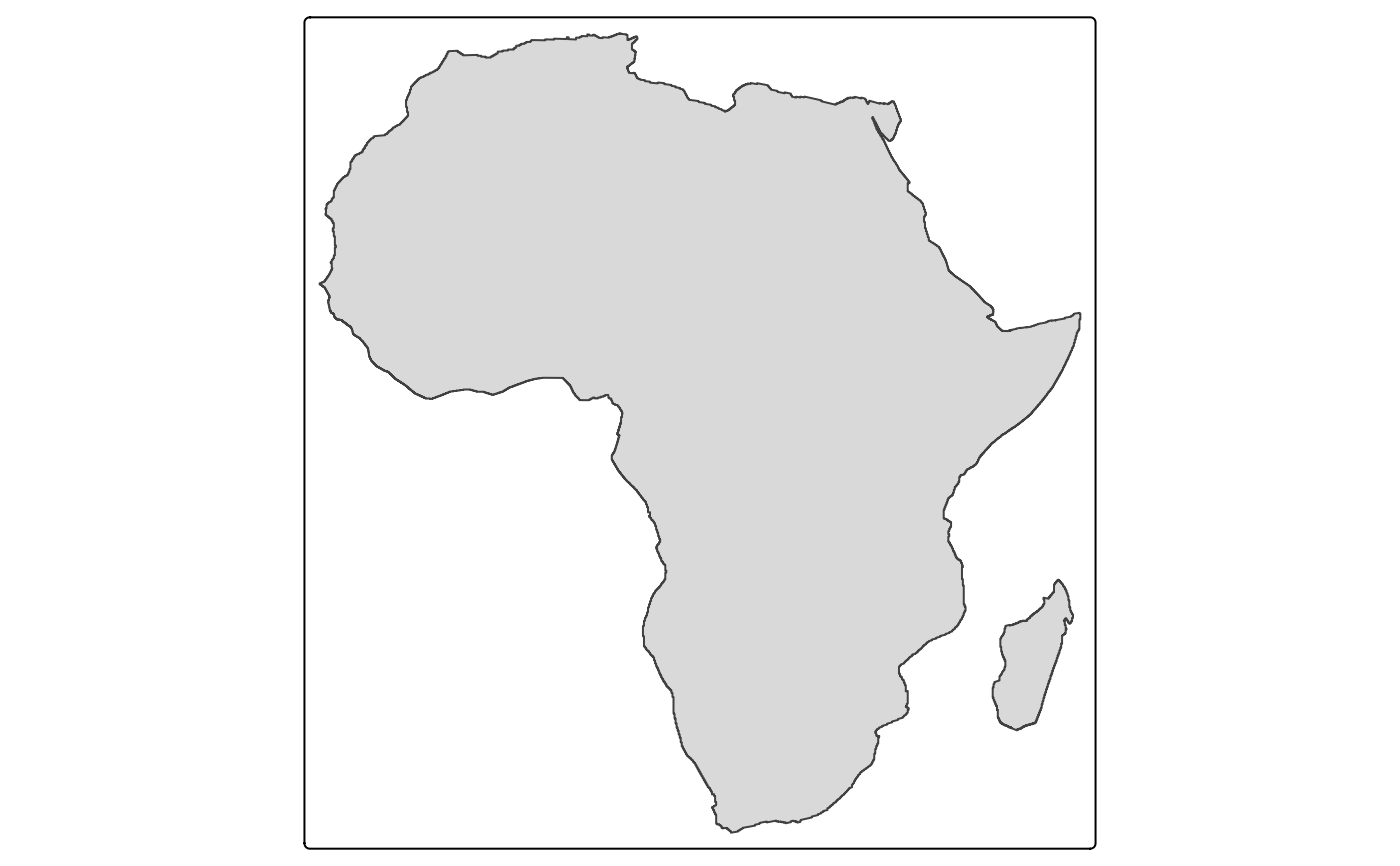 tm_shape(Africa_border) + tm_fill()
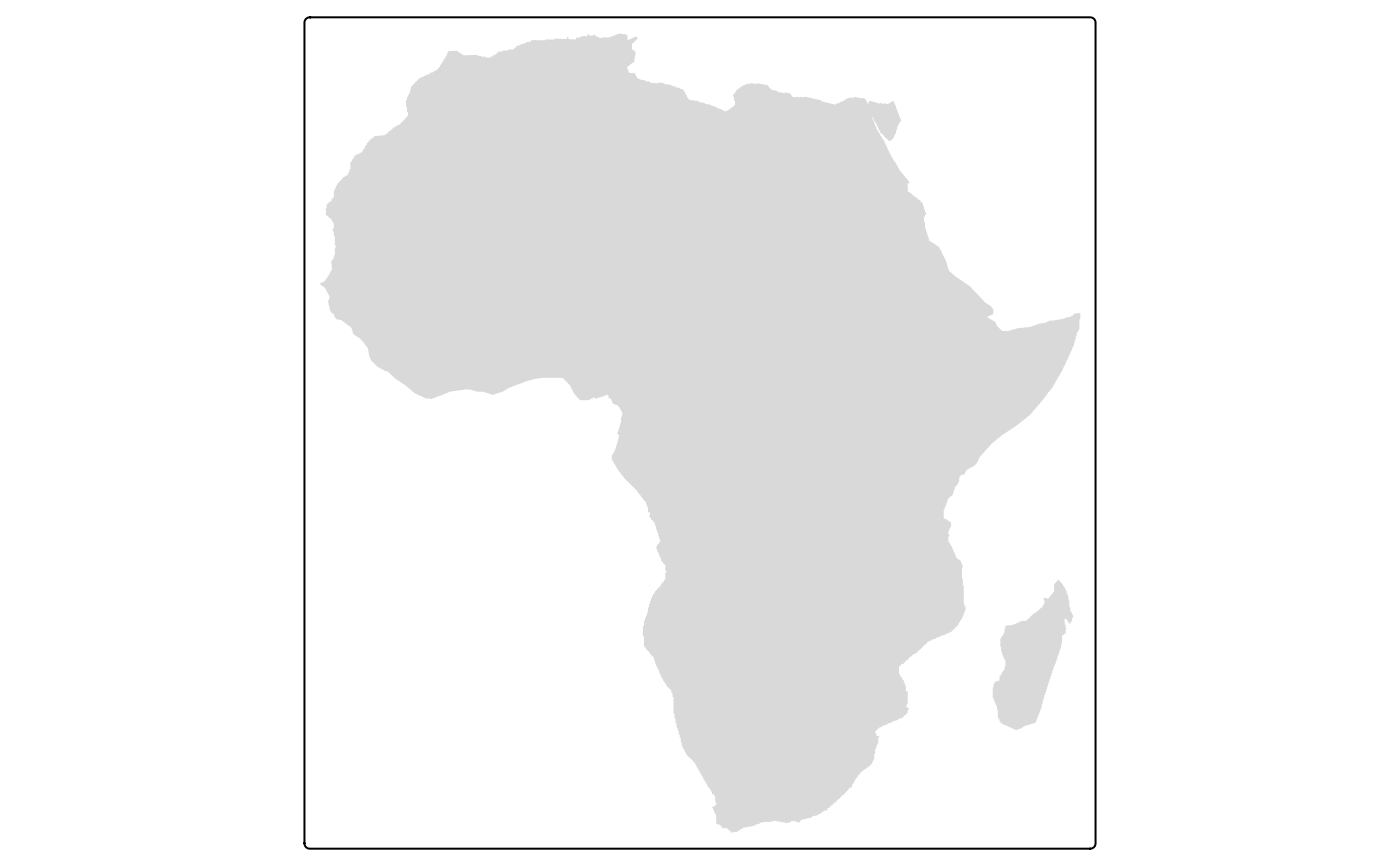 tm_shape(Africa_border) + tm_borders()
 # specification with map variable values
tm_shape(Africa) +
tm_polygons(fill = "limegreen", col = "purple", lwd = 2, lty = "solid", col_alpha = 0.3) +
tm_text("name", options = opt_tm_text(remove_overlap = TRUE)) +
tm_shape(Africa_border) +
tm_borders("darkred", lwd = 3)
# specification with map variable values
tm_shape(Africa) +
tm_polygons(fill = "limegreen", col = "purple", lwd = 2, lty = "solid", col_alpha = 0.3) +
tm_text("name", options = opt_tm_text(remove_overlap = TRUE)) +
tm_shape(Africa_border) +
tm_borders("darkred", lwd = 3)
 # specification with a data variable
tm_shape(Africa) +
tm_polygons(fill = "income_grp", fill.scale = tm_scale_categorical(values = "-tol.muted"))
# specification with a data variable
tm_shape(Africa) +
tm_polygons(fill = "income_grp", fill.scale = tm_scale_categorical(values = "-tol.muted"))
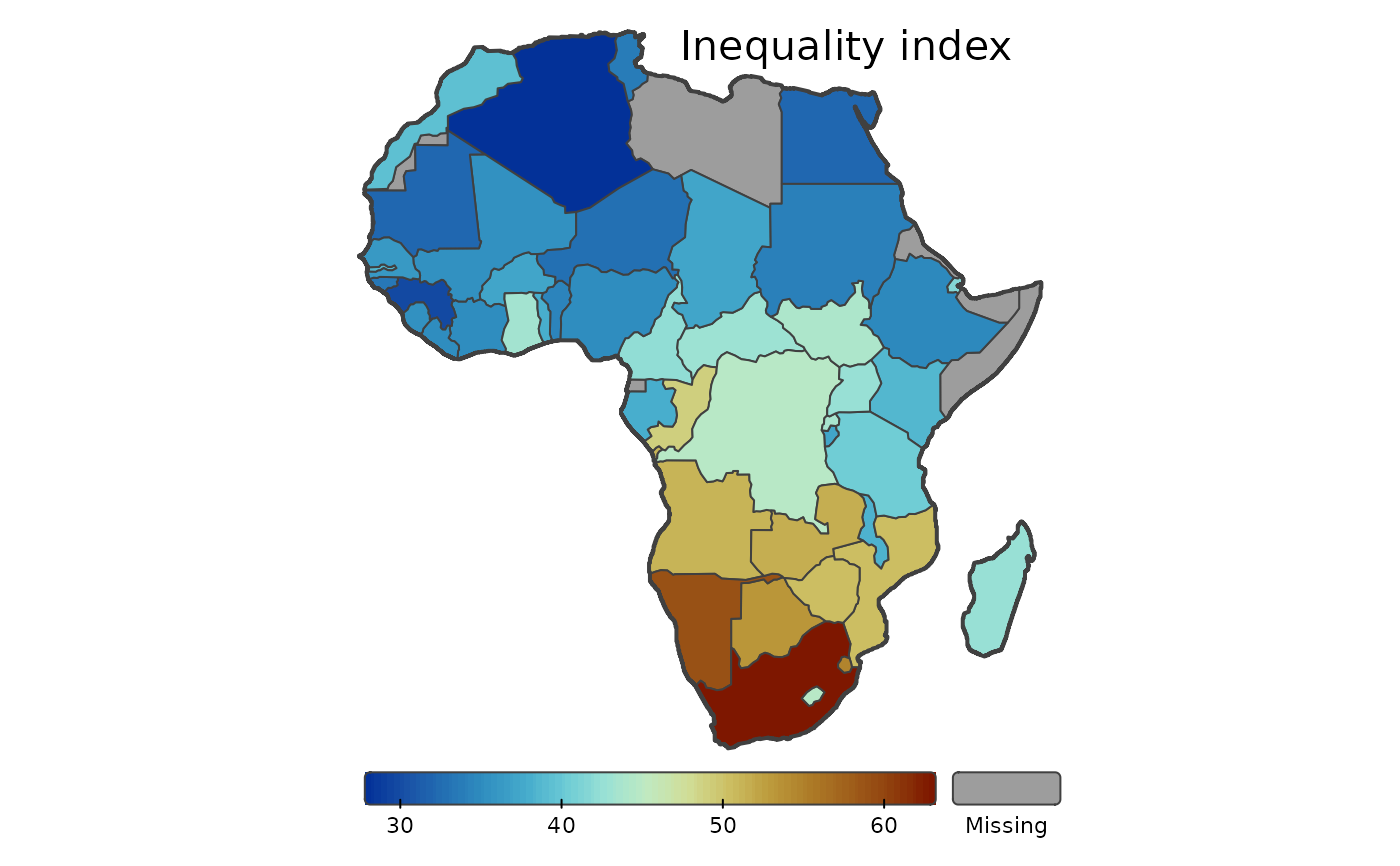
 # continuous color scale with landscape legend
tm_shape(Africa) +
tm_polygons(fill = "inequality",
fill.scale = tm_scale_continuous(values = "-scico.roma"),
fill.legend = tm_legend(
title = "", orientation = "landscape",
position = tm_pos_out("center", "bottom"), frame = FALSE
)) +
tm_shape(Africa_border) +
tm_borders(lwd = 2) +
tm_title("Inequality index", position = tm_pos_in("right", "TOP"), frame = FALSE) +
tm_layout(frame = FALSE)
# continuous color scale with landscape legend
tm_shape(Africa) +
tm_polygons(fill = "inequality",
fill.scale = tm_scale_continuous(values = "-scico.roma"),
fill.legend = tm_legend(
title = "", orientation = "landscape",
position = tm_pos_out("center", "bottom"), frame = FALSE
)) +
tm_shape(Africa_border) +
tm_borders(lwd = 2) +
tm_title("Inequality index", position = tm_pos_in("right", "TOP"), frame = FALSE) +
tm_layout(frame = FALSE)
 # bivariate scale
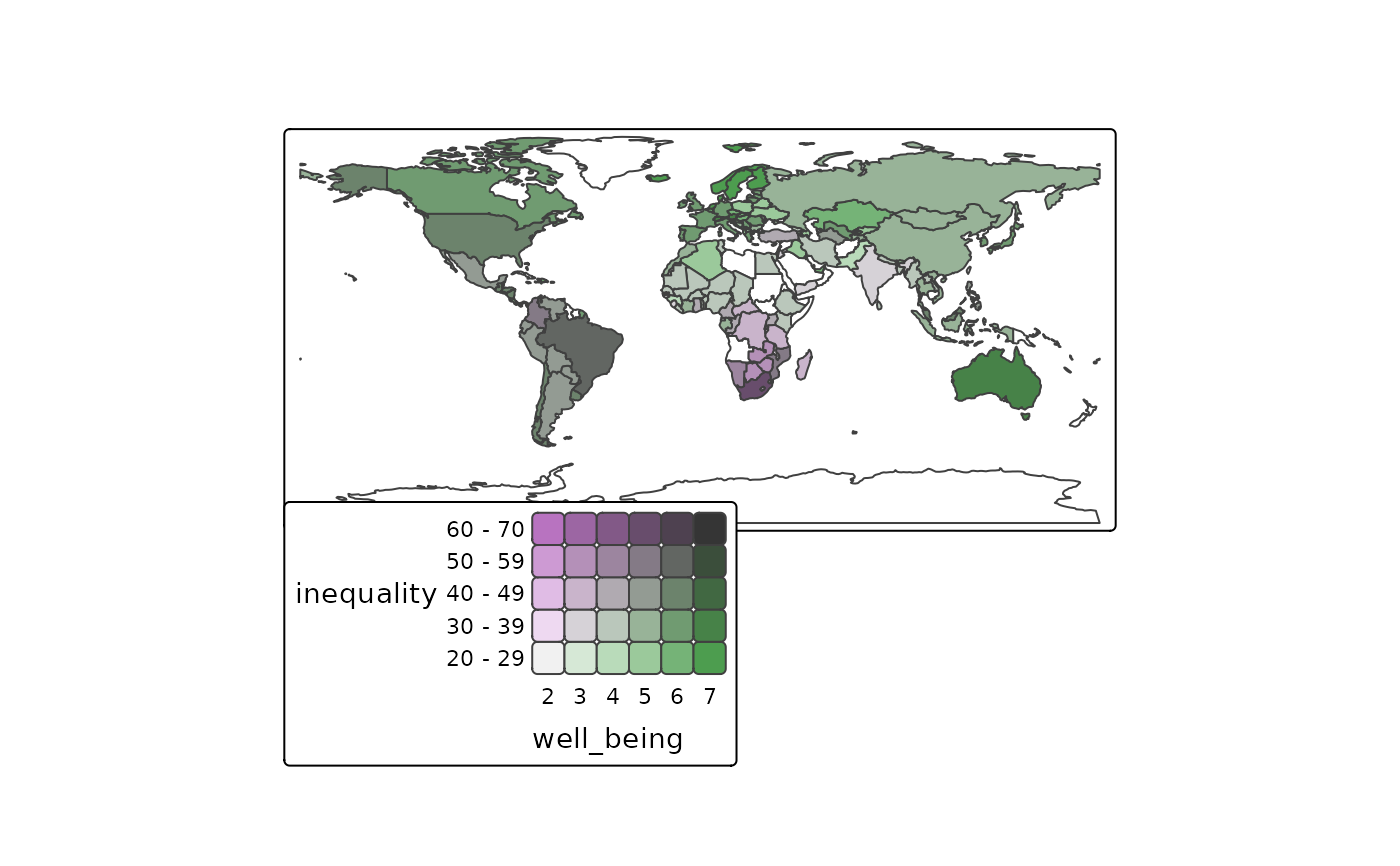
tm_shape(World) +
tm_polygons(tm_vars(c("inequality", "well_being"), multivariate = TRUE))
#> bivariate legend Labels abbreviated by the first letter, e.g.: "2.0 - 2.9" =>
#> "2".
#> This message is displayed once per session.
# bivariate scale
tm_shape(World) +
tm_polygons(tm_vars(c("inequality", "well_being"), multivariate = TRUE))
#> bivariate legend Labels abbreviated by the first letter, e.g.: "2.0 - 2.9" =>
#> "2".
#> This message is displayed once per session.