Introduction
Each map variable (e.g. fill in tm_polygons()) has an additional .chart argument via which charts can be shown:
tm_shape(World) +
  tm_polygons(
    fill = "press",
    fill.scale = tm_scale_intervals(n=10, values = "scico.hawaii"),
    fill.legend = tm_legend("World Press\nFreedom Index"),
    fill.chart = tm_chart_bar()) +
tm_crs("auto")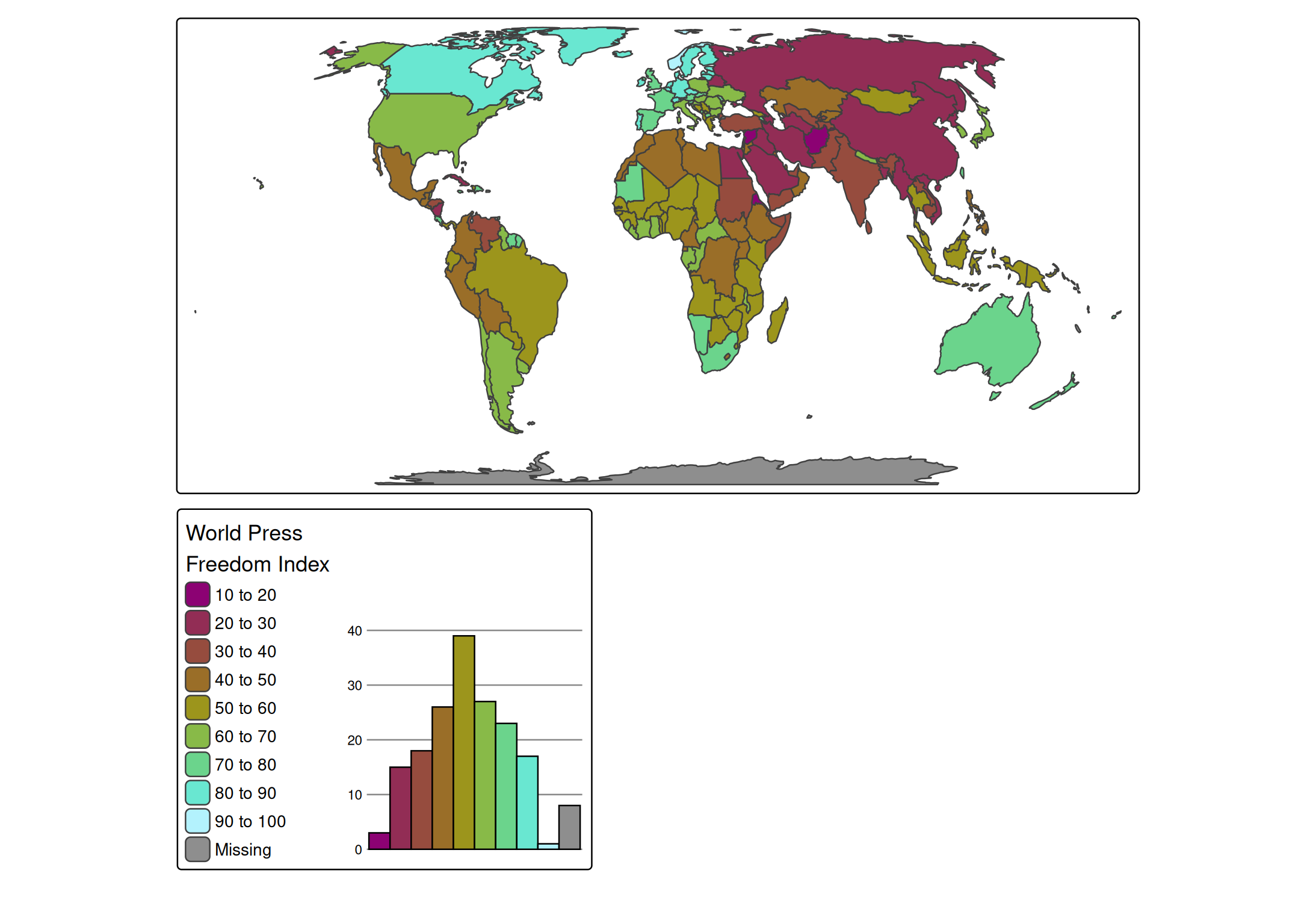
Chart types
Numeric variables
tm_shape(World) +
  tm_polygons("HPI",
    fill.scale = tm_scale_intervals(),
    fill.chart = tm_chart_donut())
#> [tip] Consider a suitable map projection, e.g. by adding `+ tm_crs("auto")`.
#> This message is displayed once per session.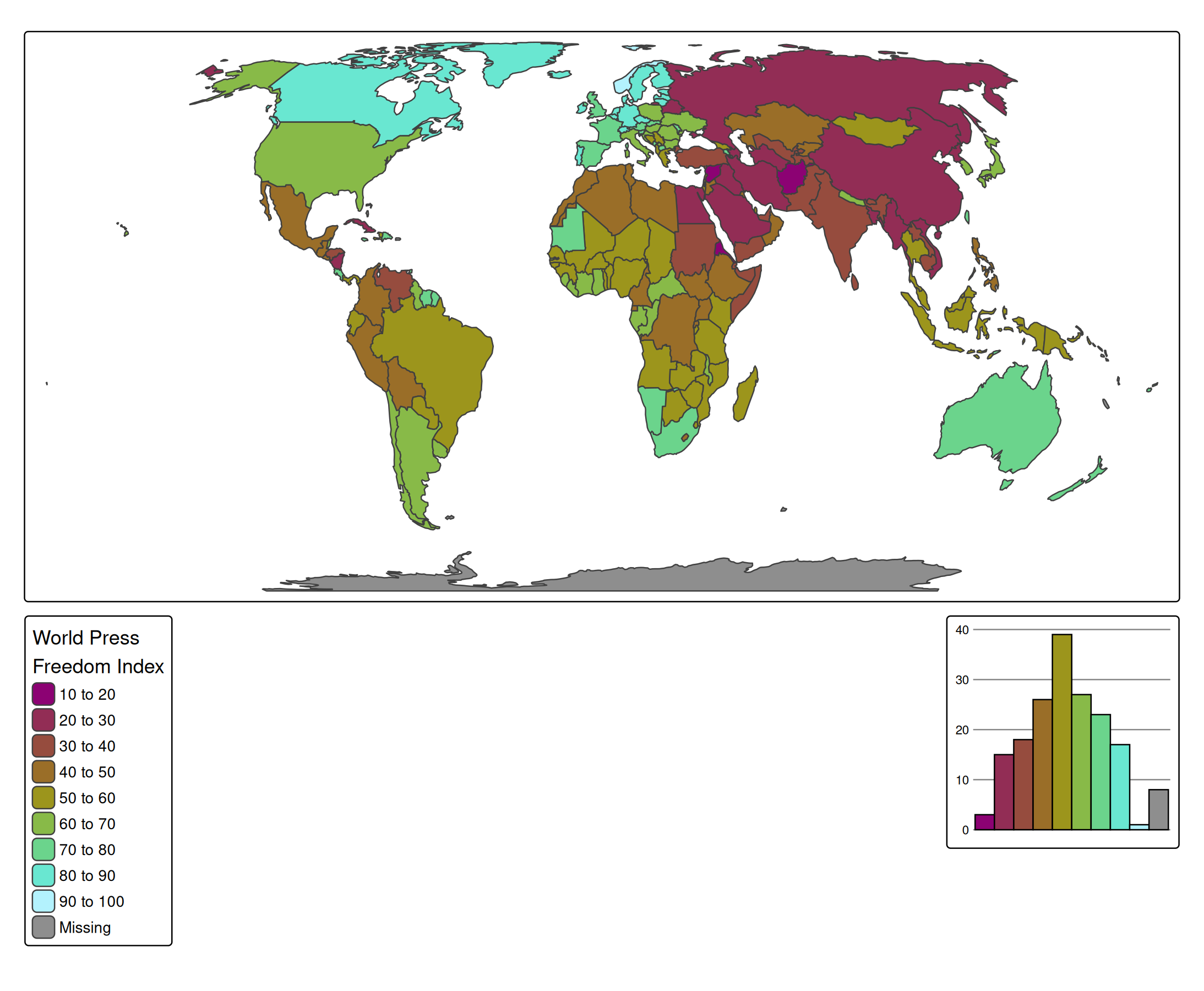
tm_shape(World) +
  tm_polygons("HPI",
    fill.scale = tm_scale_intervals(),
    fill.chart = tm_chart_box())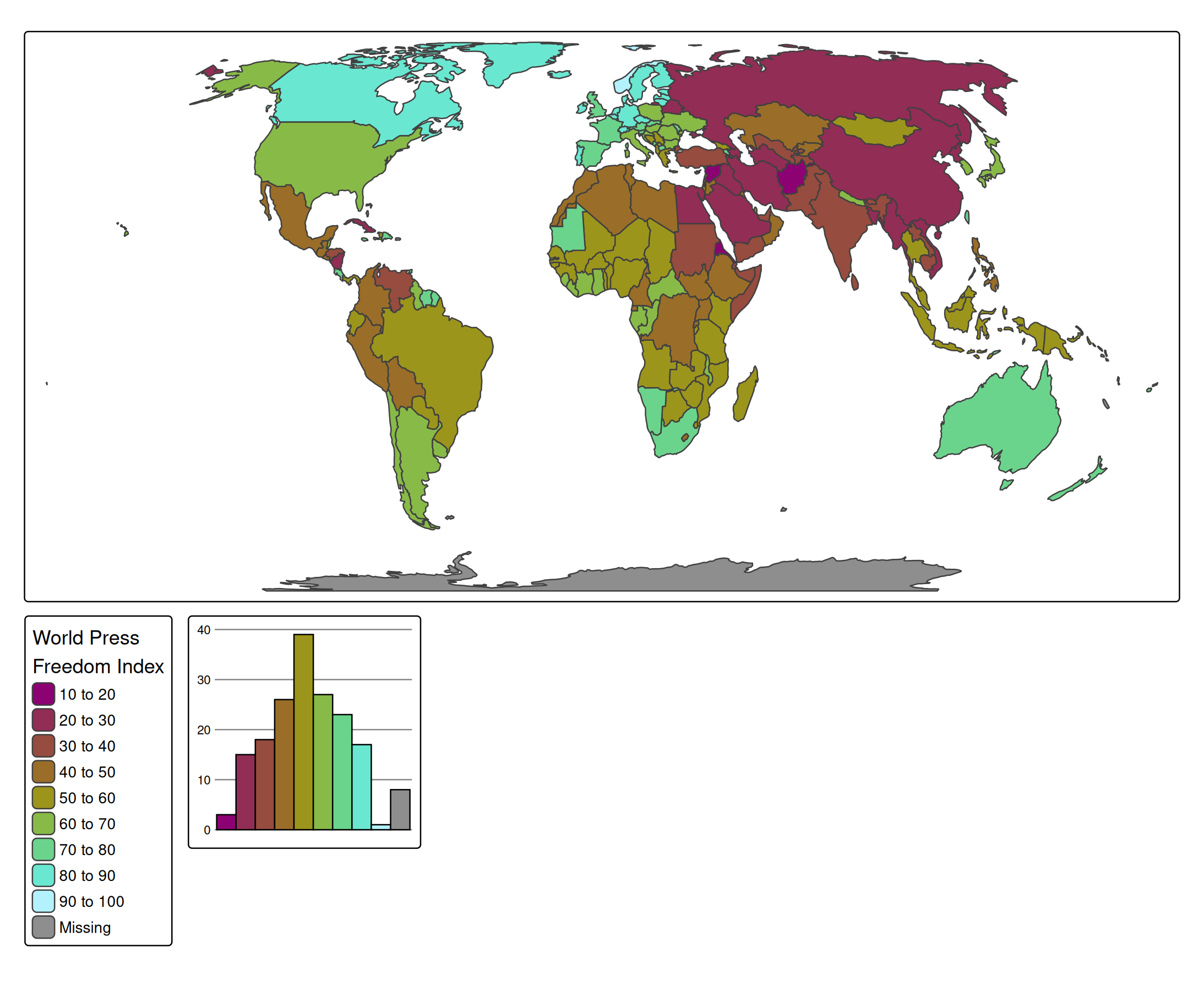
tm_shape(World) +
  tm_polygons("HPI",
    fill.scale = tm_scale_intervals(),
    fill.chart = tm_chart_violin())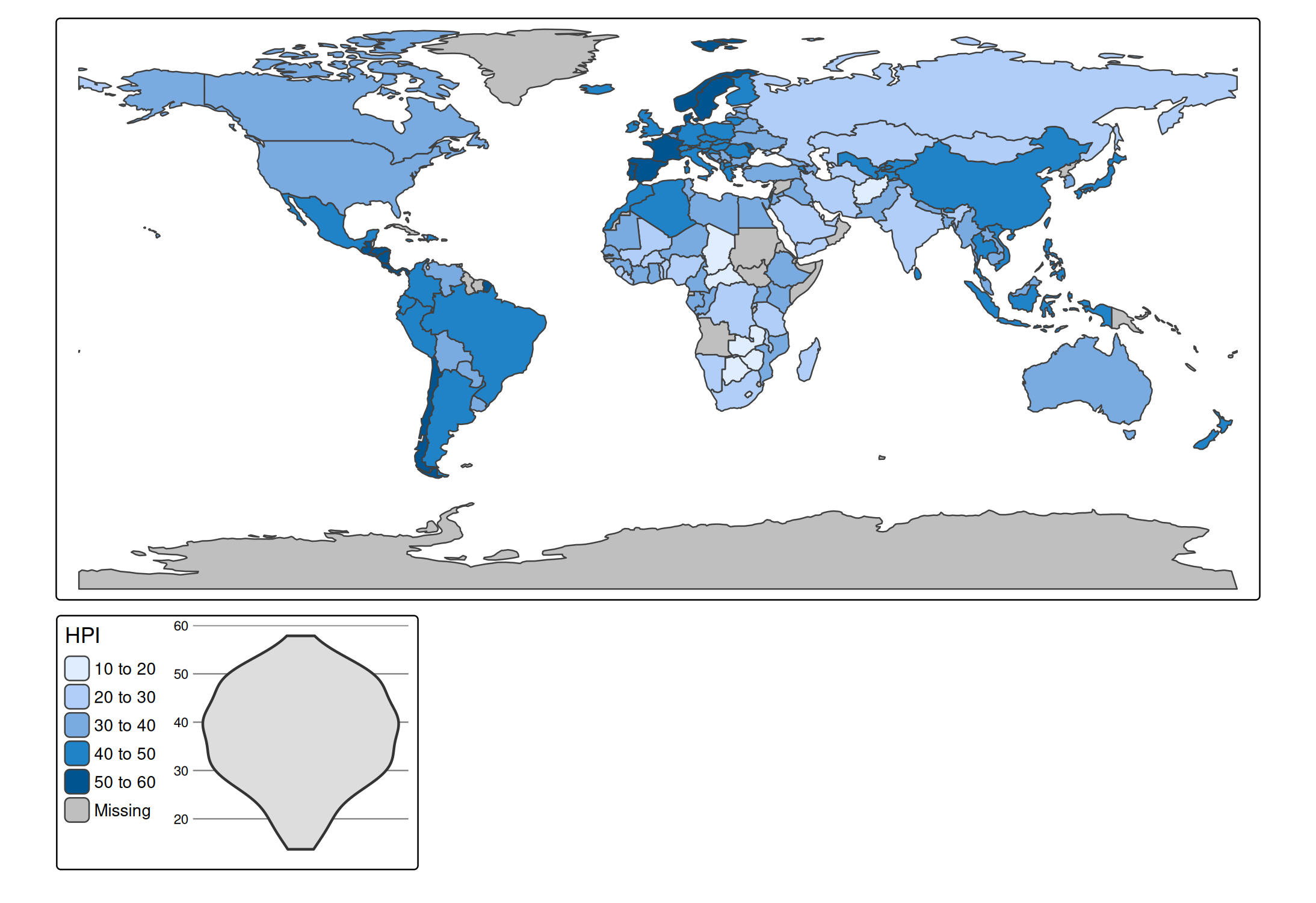
Categorical variable
tm_shape(World) +
  tm_polygons("economy",
    fill.scale = tm_scale_categorical(),
    fill.chart = tm_chart_bar())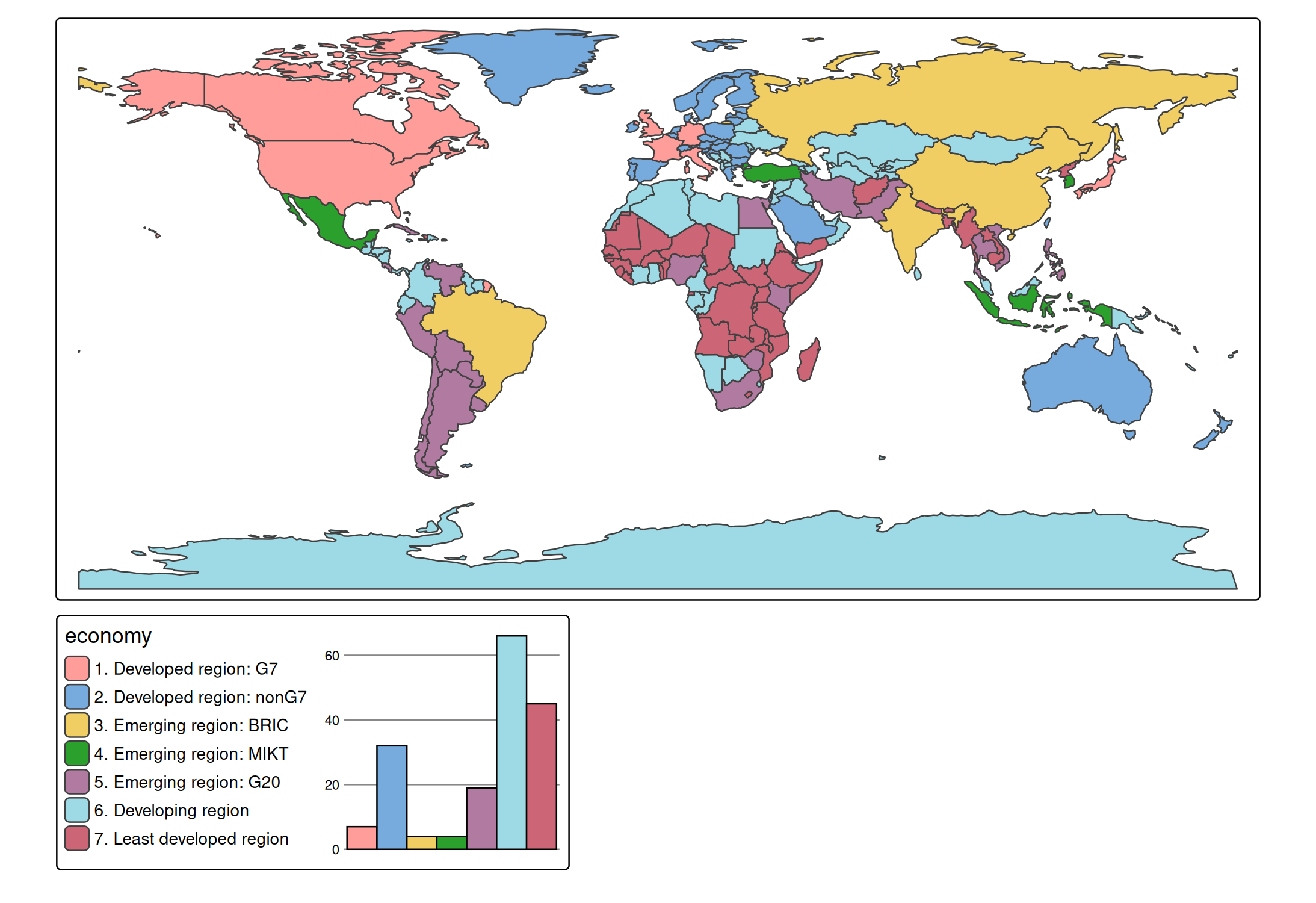
tm_shape(World) +
  tm_polygons("economy",
    fill.scale = tm_scale_categorical(),
    fill.chart = tm_chart_donut())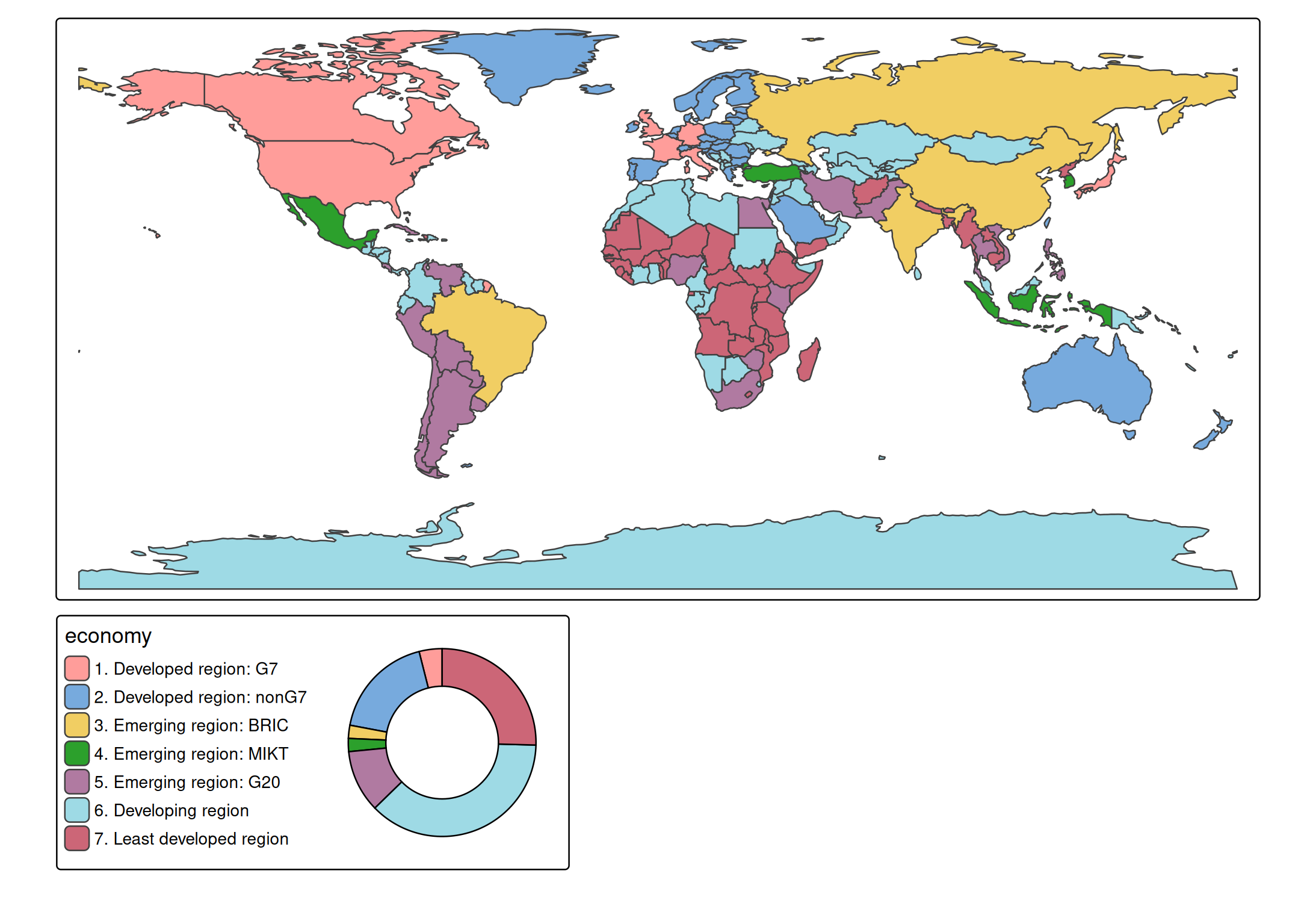
Bivariate charts
tm_shape(World) +
  tm_polygons(tm_vars(c("HPI", "well_being"), multivariate = TRUE),
    fill.chart = tm_chart_heatmap())
#> bivariate legend Labels abbreviated by the lower bound, e.g.: "2.0 - 2.9" =>
#> "2.0".
#> This message is displayed once per session.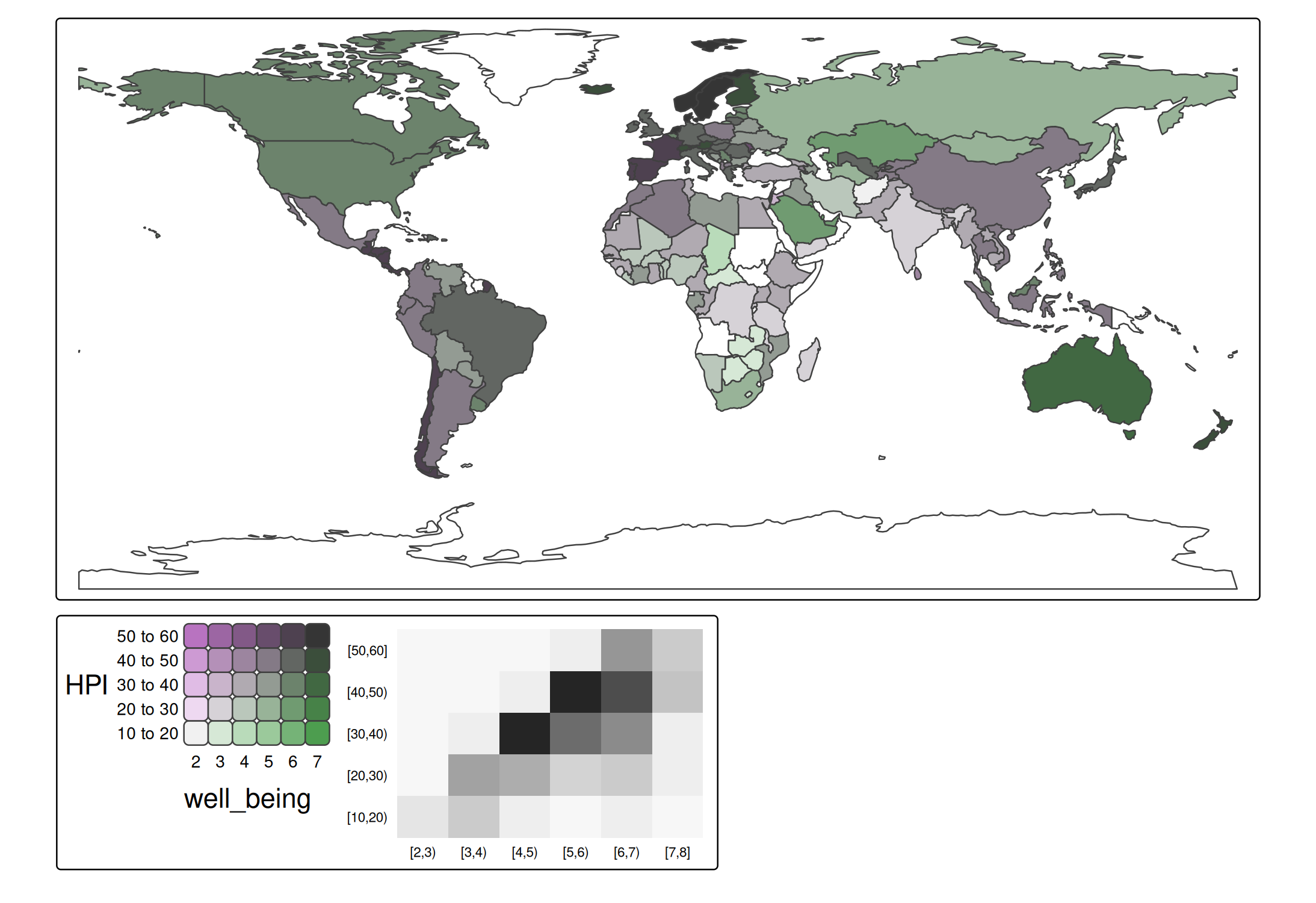
Position
We can update the position of the chart to bottom right (in a separate frame). See vignette about positioning.
tm_shape(World) +
  tm_polygons(
    fill = "press",
    fill.scale = tm_scale_intervals(n=10, values = "scico.hawaii"),
    fill.legend = tm_legend("World Press\nFreedom Index"),
    fill.chart = tm_chart_bar(position = tm_pos_out("center", "bottom", pos.h = "right"))) +
tm_crs("auto")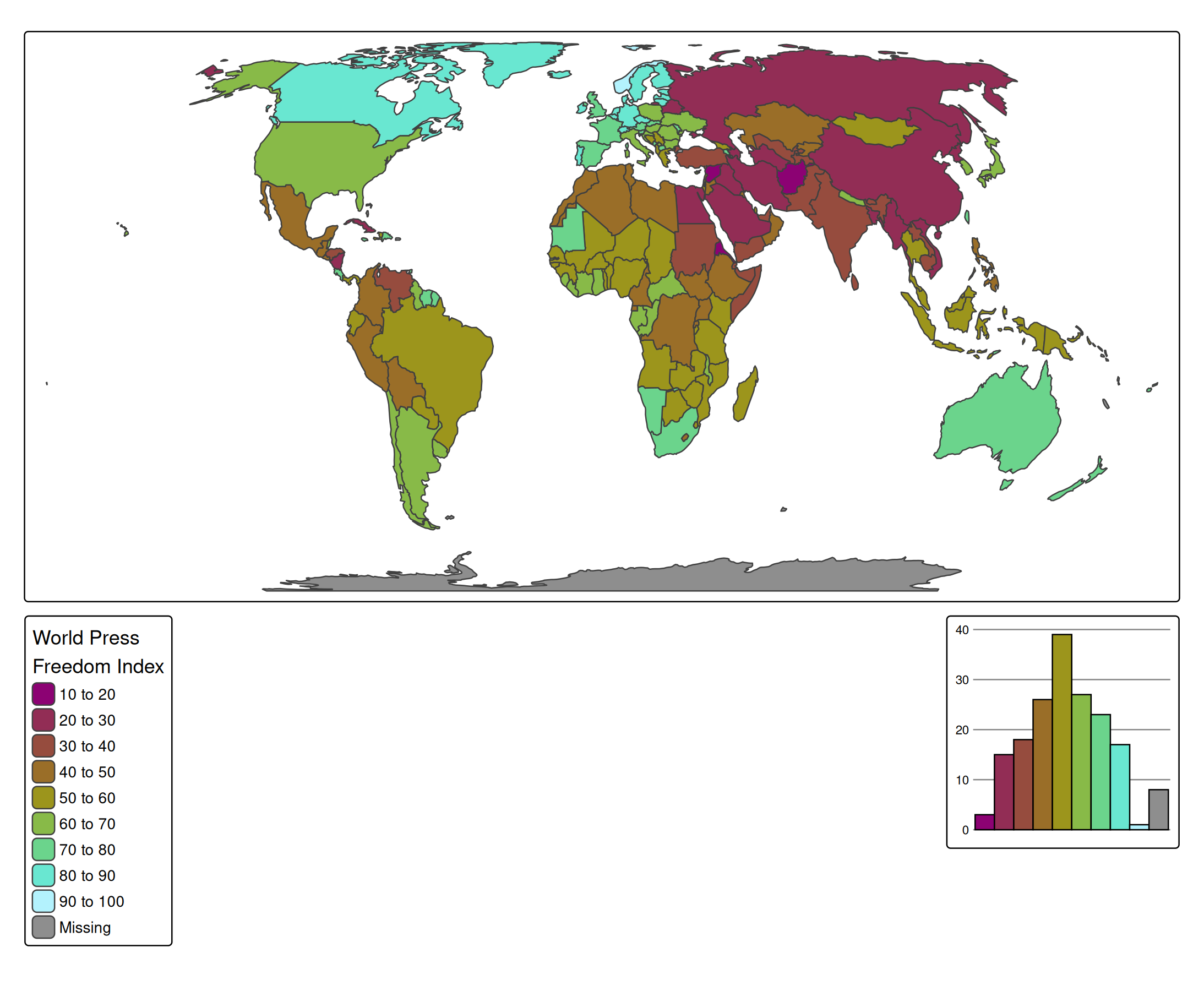
Or, in case we would like the chart to be next to the legend, but in a different frame:
tm_shape(World) +
  tm_polygons(
    fill = "press",
    fill.scale = tm_scale_intervals(n=10, values = "scico.hawaii"),
    fill.legend = tm_legend("World Press\nFreedom Index", group.frame = FALSE),
    fill.chart = tm_chart_bar(position = tm_pos_out("center", "bottom", align.v = "top"))) +
    tm_layout(component.stack_margin = .5) +
tm_crs("auto")
#> Warning: Component group arguments, such as `group.frame`, are deprecated as of 4.1.
#> Please use `group_id = "ID"` in combination with `tm_components(frame_combine =
#> FALSE)` instead.
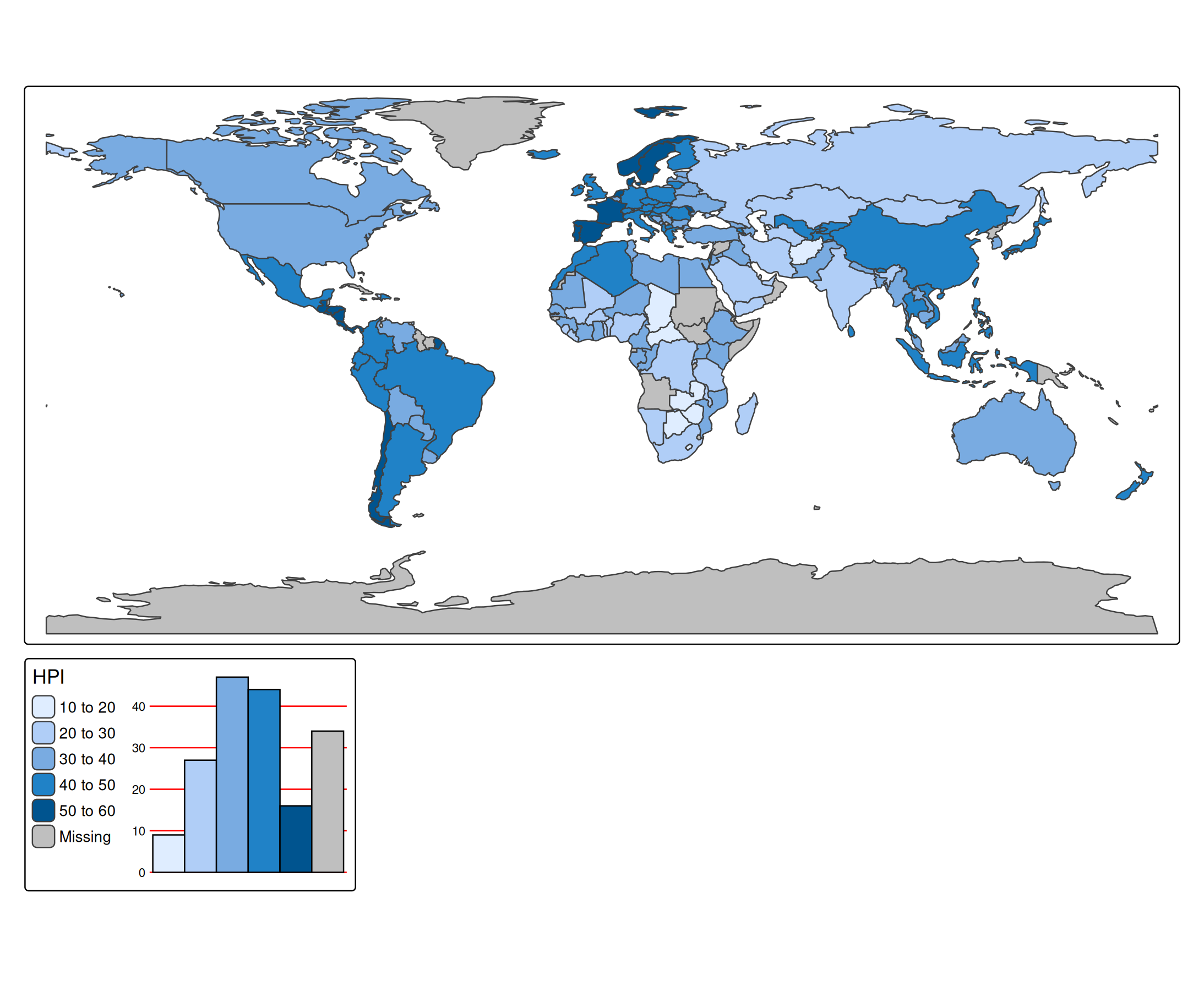
Additional ggplot2 code
require(ggplot2)
#> Loading required package: ggplot2
tm_shape(World) +
  tm_polygons("HPI",
    fill.scale = tm_scale_intervals(),
    fill.chart = tm_chart_bar(
      extra.ggplot2 = theme(
        panel.grid.major.y = element_line(colour = "red")
      ))
    )
Frame and background
The frame and background around a chart are drawn by tmap, not by ggplot2: they belong to the group of map components that the chart is part of (see vignette about grouping of components). Therefore, they cannot be changed with ggplot2 code, such as theme(plot.background = element_rect(colour = NA)) via extra.ggplot2. Instead, use the frame and bg arguments of the chart function:
tm_shape(World) +
  tm_polygons(
    fill = "life_exp",
    fill.legend = tm_legend_hide(),
    fill.chart = tm_chart_histogram(
      position = tm_pos_in("left", "bottom"),
      frame = FALSE,
      bg.color = "#FFC067")) +
tm_crs("auto")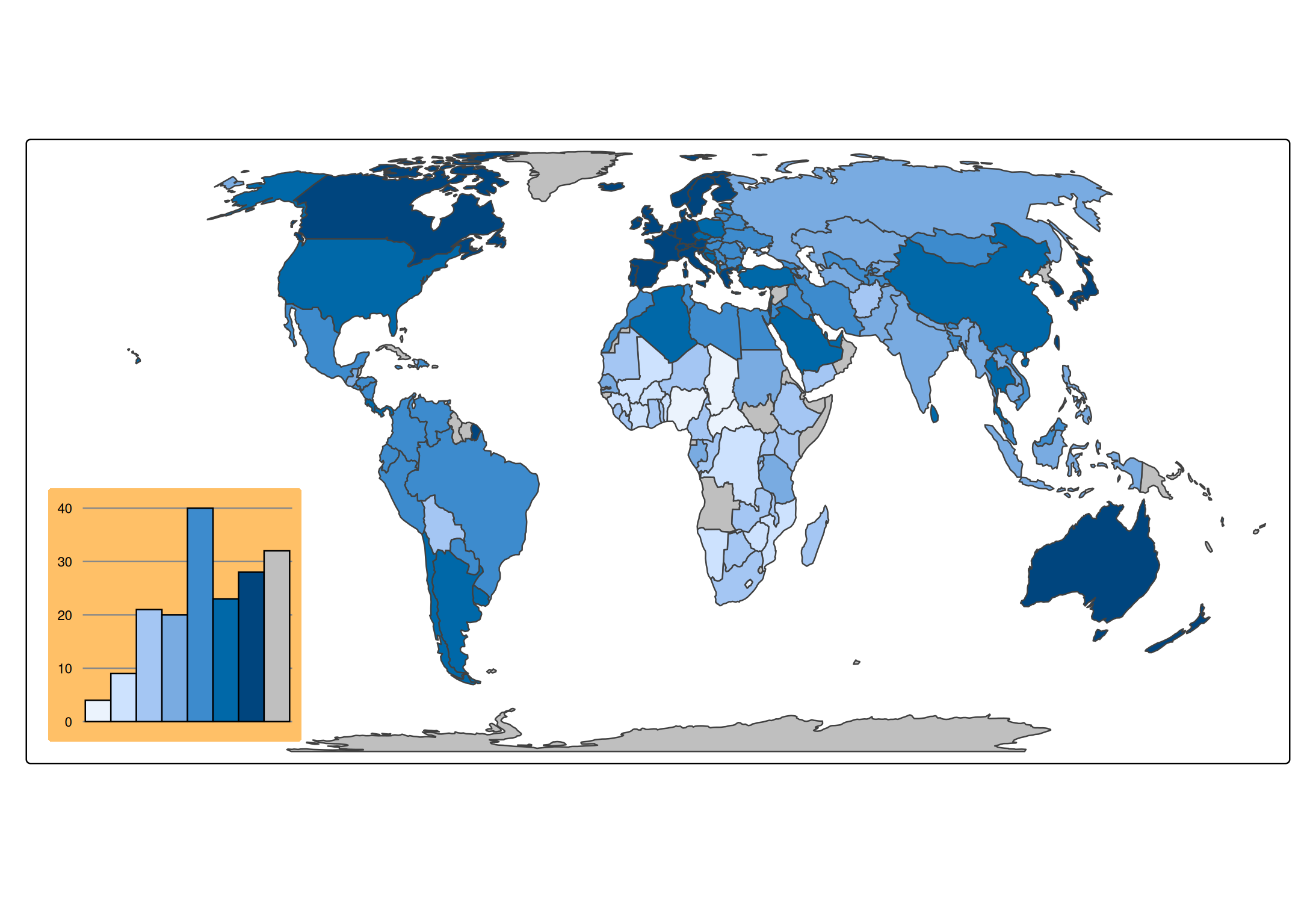
These arguments are passed on to the group, so they apply to all components in it. Alternatively, they can be set for all charts at once with tm_components("tm_chart", frame = FALSE, bg.color = "#FFC067").